

Docs Get started
Quickstart: run your free audit
The free audit reads 25 pages of your site and asks six AI engines 10 questions your buyers ask. You need a domain and an email address. No card.
Read the transcript
Run your free audit (fixvis how-to · Sample: gorusmeyap.com)
Type your domain on fixvis.ai. The free audit needs no card.
Confirm your email, and fixvis starts reading your site and asking the AI engines.
Six engines answer 10 questions your buyers ask: 60 answers, read for who gets named.
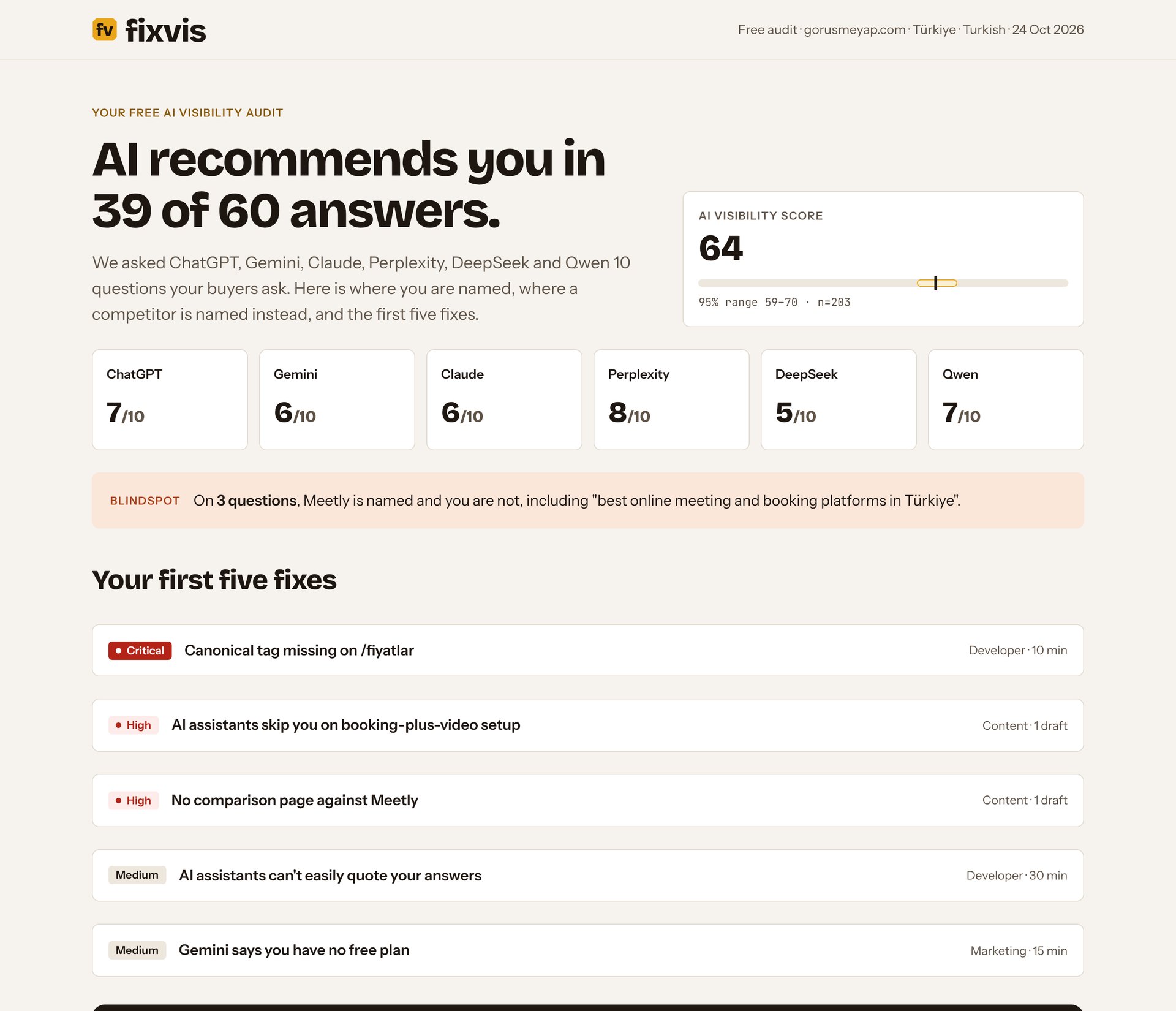
Your report: how often AI recommends you, on each engine, with its margin of error.
Blindspots show where a competitor is named instead of you.
Your top 5 fixes come written in full. A paid plan writes the rest and re-checks each one.
Get recommended. Prove it. (fixvis.ai · Run your free audit)
Run it
Enter your domain
Type it into the field on fixvis.ai or the free audit page and select Run my free audit.
Confirm your email
fixvis sends a link to confirm it's you. There is no card step.
Let the audit run
fixvis reads your pages, detects your main market from your domain and content, and asks ChatGPT, Gemini, Claude, Perplexity, DeepSeek and Qwen 10 buyer questions. That is 60 answers.
Open your report
You see how often AI recommends you, on each engine, where a competitor is named instead, and your first five fixes written in full.
What the free audit covers
| Item | Free audit |
|---|---|
| Pages read | 25 |
| Tracked questions | 10, across all six engines (60 answers) |
| Market | 1, detected for you |
| Fixes written in full | Your top 5 |
| How often | Once per account, and once per website |
Tip
The free audit uses the same app and report as the paid plans. When you choose a plan, the same report switches to live data, with no new audit to wait for.
Next
Read the AI visibility score to understand your headline number, or go straight to the fix board.