

Docs Read your results
Overview and the AI visibility score
Overview is the first screen you see. It answers three questions: how visible you are, what changed, and what to fix next.
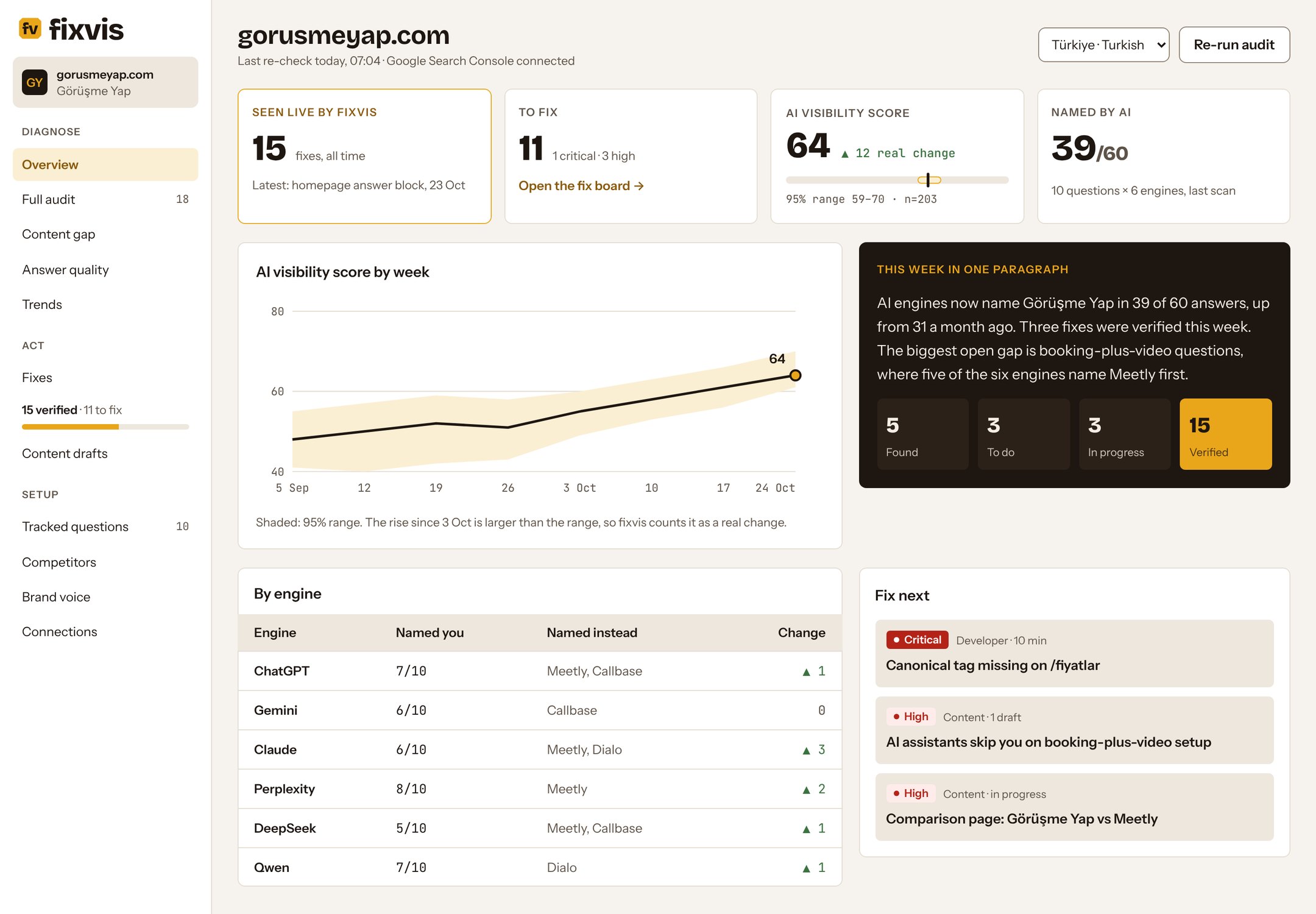
The four tiles
| Tile | What it shows | Sample |
|---|---|---|
| Verified fixes | Fixes fixvis has seen live on your site, all time | 15 |
| To fix | Open issues, with how many are Critical or High | 11 (1 critical, 3 high) |
| AI visibility score | 0 to 100, with its 95% range and sample size | 64, range 59–70 |
| Named by AI | Answers that name you, out of all answers on the last scan | 39 of 60 |
The trend, week by week
The line is your score by week; the shaded band is its 95% range. When the new range no longer overlaps the earlier one, the change is real. A rise that stays inside the band is noise.
By engine
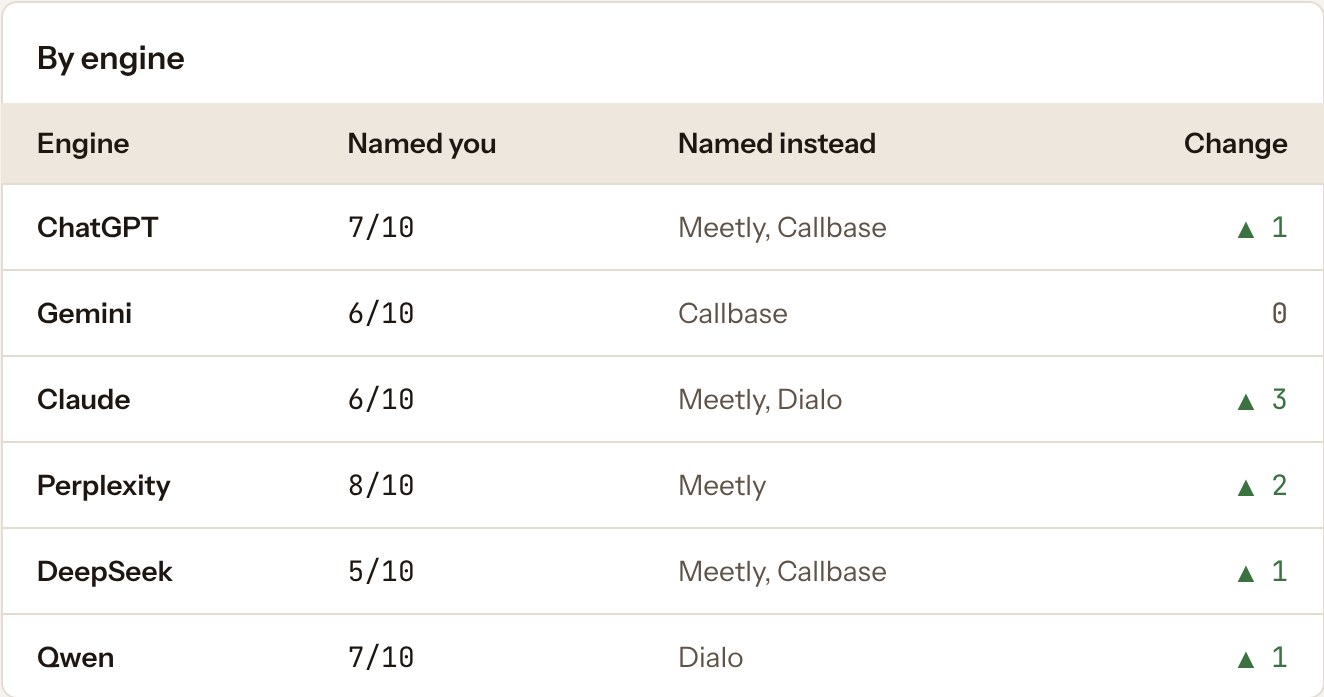
Engines disagree. The table shows how many tracked questions each one names you for, who it names instead, and the change since the last scan. Checking one engine shows you only part of the market.