

Docs Connect
Connect Search Console, GA4 and Bing
Connecting your own data turns estimates into measurements. Search Console and GA4 are available on every plan, including Free.
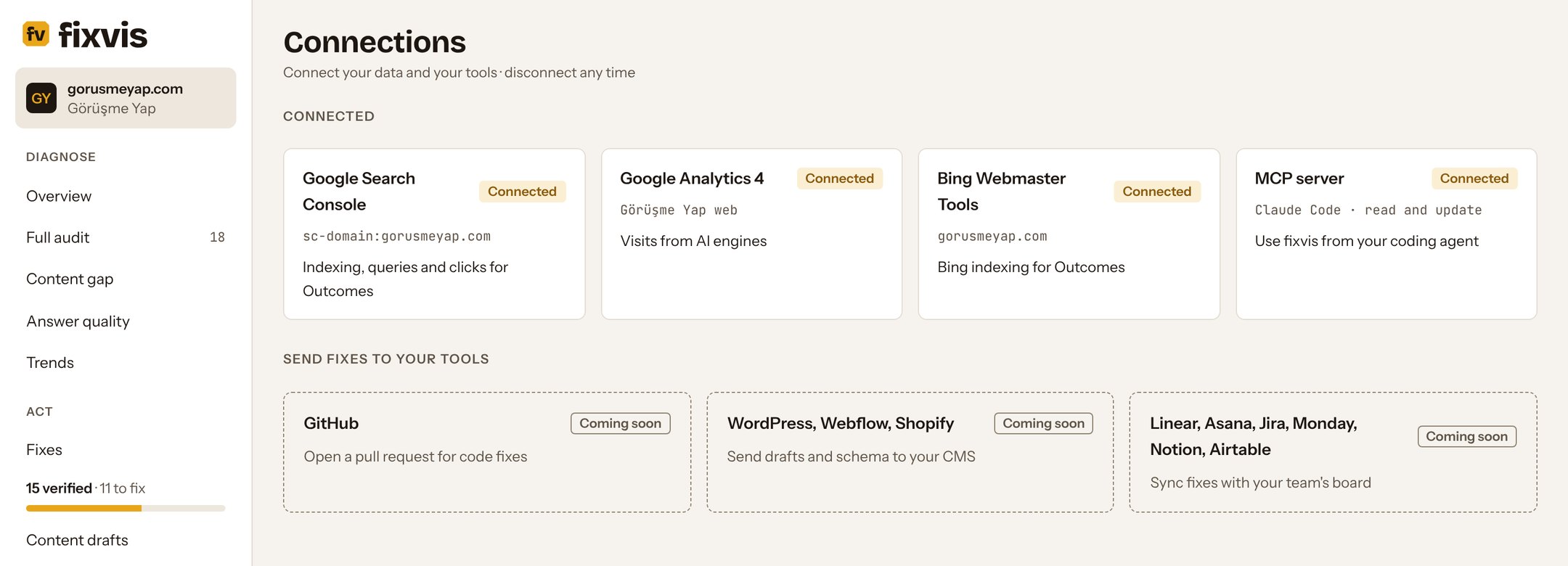
What each connection adds
| Connection | What fixvis uses it for | Plan |
|---|---|---|
| Google Search Console | Indexed pages, queries and clicks; indexing and click results in Outcomes | All plans |
| Google Analytics 4 | Visits that arrive from AI engines; traffic results in Outcomes | All plans |
| Bing Webmaster Tools | Bing indexing for Outcomes | All plans |
| MCP server | Use fixvis from Claude Code, Codex, ChatGPT and other MCP clients | Starter and above |
Google Search Console
Open Connections
Under Setup, select Connect Search Console.
Sign in with Google
Use an account that can see the property for your domain.
Pick the property
A domain property (for example
sc-domain:gorusmeyap.com) covers every subdomain and protocol.
Google Analytics 4
Connect GA4 the same way and pick the property for your site. fixvis counts visits that arrive from AI engines and measures traffic after each fix.
Bing Webmaster Tools
To connect Bing Webmaster Tools, paste your Bing Webmaster Tools API key in the project's settings. fixvis then adds Bing indexing to Outcomes. Many AI engines read results from Bing's index, so it's worth connecting.
If a connection fails
- Check that the Google account you signed in with can see the property. For Bing, check that the API key is current.
- Try again from Connections; fixvis shows the reason for the last failure.
- You can disconnect any connection at any time from the same page.