

Docs Take action
Create content: briefs
When the gap is a missing or weak page, start a brief. fixvis fills in what it already knows; you edit anything, then create the brief or go straight to a draft.
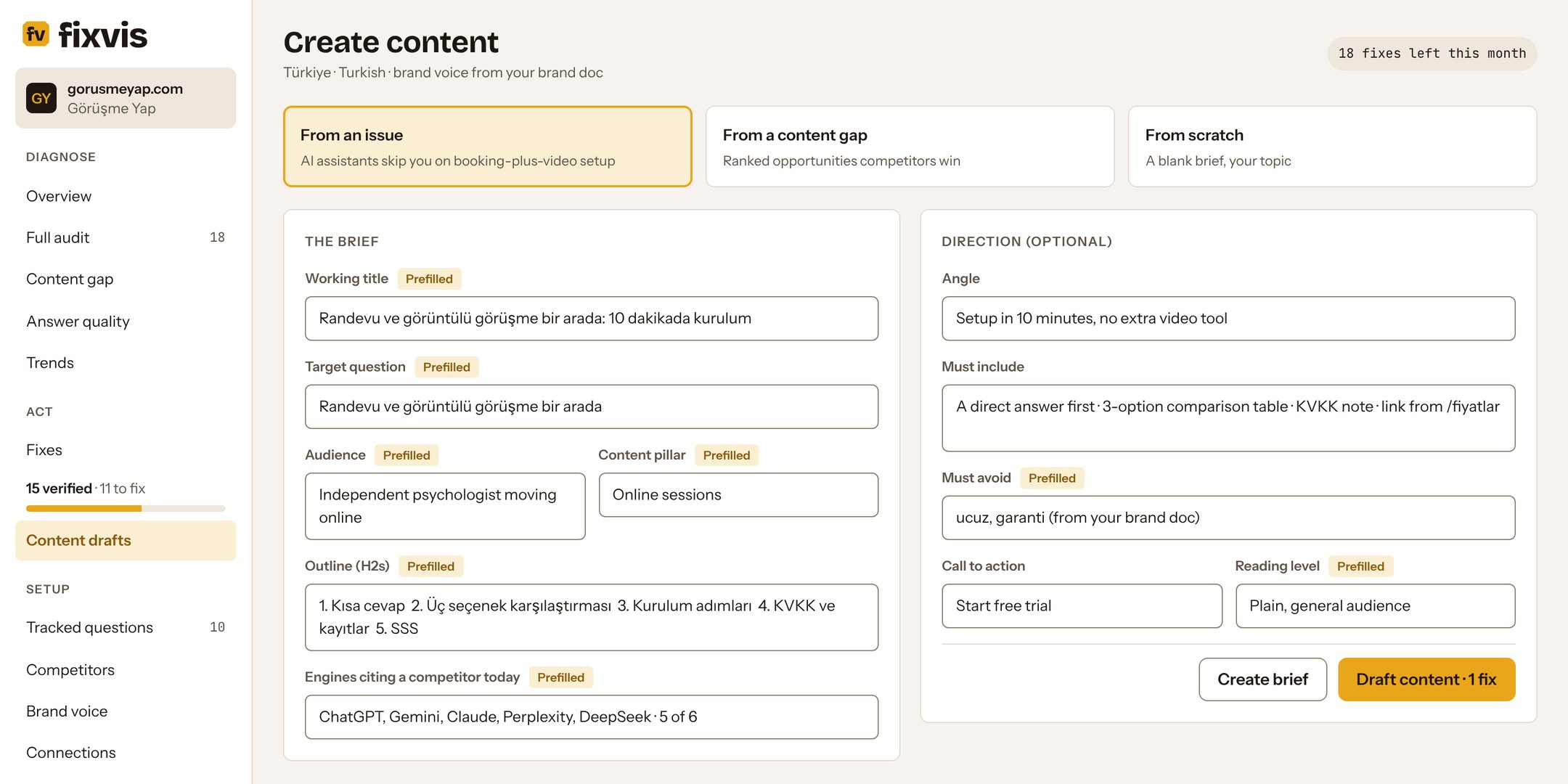
Three ways to start
| Start from | Where | What's filled in |
|---|---|---|
| An issue | Create content in a fix drawer | Title, target question, audience, pillar, outline, FAQ, the engines citing a competitor, internal links |
| A content gap or pillar | Prefill on a content gap, or Create hub on a missing pillar | Keywords, questions to answer, competitor pages to beat, the hub and its supporting pages |
| Scratch | New content at the top of Content drafts | Nothing; your topic and your brand voice |
The brief
Fields fixvis filled in show a Prefilled label until you change them. Every field can be edited. The core fields:
- Working title and target question
- Audience and content pillar
- Outline (H2s) and FAQ questions
- Internal links to add and sources to cite
- Brand voice: from your brand book when you have one
Direction (optional)
Steer the draft without rewriting the brief: an angle, points it must include, words or claims it must avoid, a call to action, reference URLs, a reading level, and a free instruction. A brief with only a title, a keyword and one heading still works.
Create brief or draft content
- Create brief gives your writer a plan to work from: outline, questions to answer, must-include points, links and sources.
- Draft content writes the full page from the brief. It uses one fix from your allowance; see Content drafts.