

Docs Connect
Use fixvis from Claude Code, Codex or ChatGPT
The fixvis MCP server lets your own AI assistant read your issues, fix them in your code, move them on the board, verify them and draft content. Available on Starter and above.
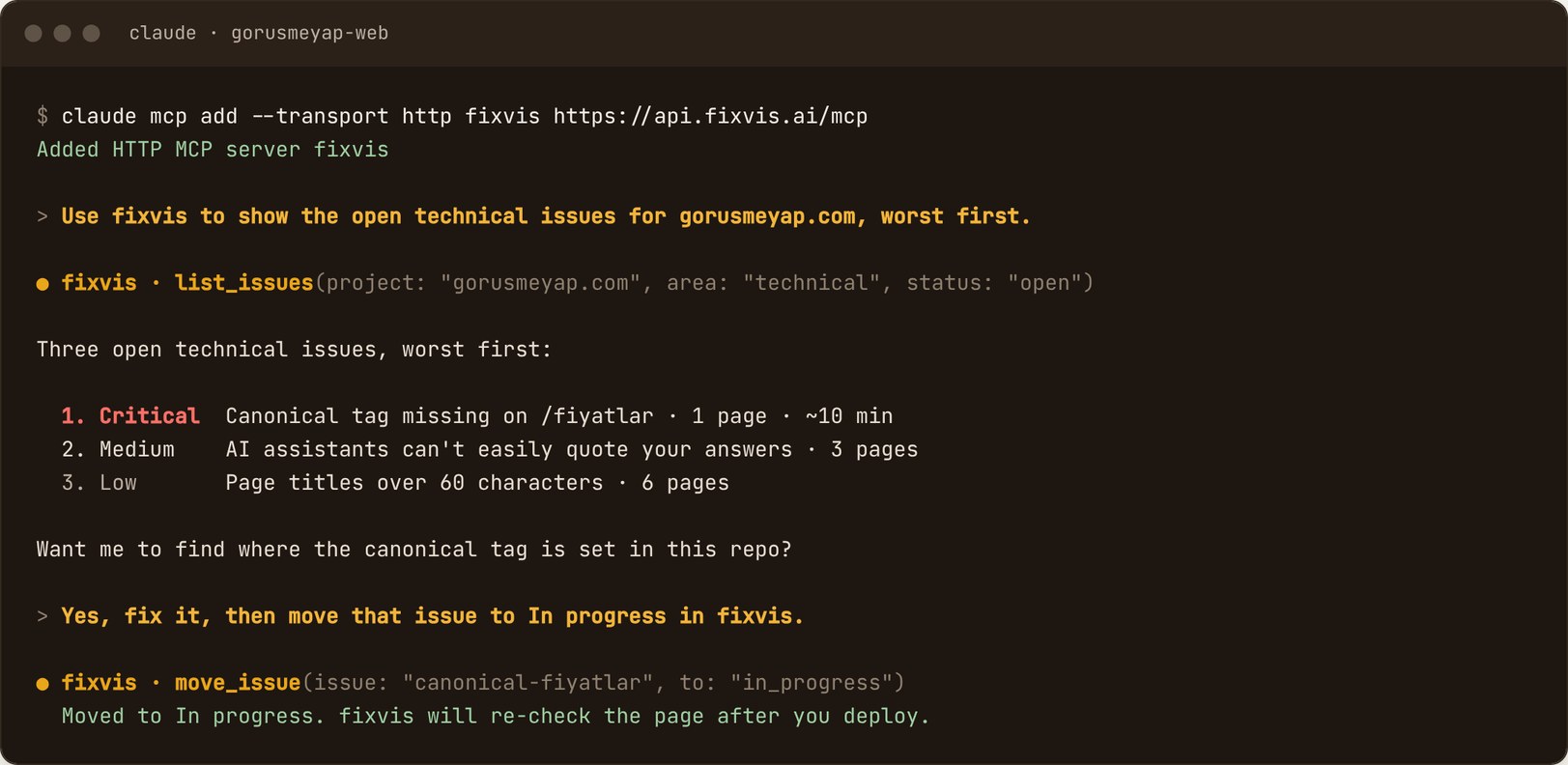
Server address: https://api.fixvis.ai/mcp
Claude Code
Add the server
claude mcp add --transport http fixvis https://api.fixvis.ai/mcpSign in
Run
/mcp, choose fixvis and select Authenticate.Approve access
In the browser, sign in, pick the organisation, tick the projects this connection can use, choose an access level and select Approve.
Check it
/mcpshows fixvis as connected. There is no token to copy.
Codex
Add the server
codex mcp add fixvis --url https://api.fixvis.ai/mcpSign in
Complete the same browser sign-in and approval.
codex mcp login fixvisCheck it
codex mcp list
ChatGPT and other MCP clients
In ChatGPT, turn on Developer mode in settings, then add fixvis as a connector with the server address above. Any other client that supports remote MCP servers over HTTP, such as Cursor, connects to the same address.
Access levels
| Level | What the assistant can do |
|---|---|
| Read your fixvis data | Read-only: issues, markets, competitors, content gaps, outcomes |
| Read and update | Also move issues, verify fixes, create content tasks and record published URLs. Scans and content generation still ask you to confirm |
Tools
| Tool | Access | What it does |
|---|---|---|
list_projects | Read | Projects in this connection, with latest audit and open issue counts |
list_issues | Read | A project's issues, worst first, filtered by area, severity and status |
get_issue | Read | Everything needed to fix one issue: evidence, affected URLs, how it's re-checked |
explain | Read | An issue or term in plain language, and why it matters |
move_issue | Write, free | Move an issue to To do or In progress, or mark it shipped |
verify_fix | Write, free | Re-check the live page and return the outcome with evidence |
list_markets | Read | Tracked markets, the primary one, and each one's latest scan |
get_market_visibility | Read | One market's AI visibility score, trend, citations, issues, and the questions you win or lose |
get_markets_rollup | Read | All markets side by side |
list_competitors | Read | Tracked competitors in one market and where you stand |
list_content_gaps | Read | Content opportunities in one market, ranked |
get_content_gap | Read | One opportunity in full: keywords, competitor URLs and a brief |
create_content_task | Write, free | Add a content piece to the board, from a gap or a topic |
generate_content | Write, uses a fix | Write a brief or draft for a content task |
get_content | Read | A generated brief or draft, or its status |
set_published_url | Write, free | Record the live URL of a published piece so fixvis can measure it |
get_outcomes | Read | What fixes and content achieved over a period |
list_delivered_fixes | Read | Fixes and content delivered in a period, with outcomes |
get_fix_outcome | Read | One delivered fix's before and after |
run_market_scan | Write, uses a fix | Scan one market or all markets |
Anything that uses a fix asks first
generate_content and run_market_scan work in two steps. The first call returns a preview of the cost and your balance, and nothing is spent. Only when you agree does the assistant call again to run it. A failed draft is not charged. Today's included scan of each market is free.
Things to ask
- “Use fixvis to show the open technical issues for gorusmeyap.com, worst first.”
- “Get the full details of the top issue and find where in this repo it comes from. Don't change code yet.”
- “Apply the fix, then move that issue to In progress in fixvis.”
- “I've deployed. Verify that fix with fixvis.”
- “What should we write next for Germany?”
- “How did last month's fixes do?”